Stop drowning in your own backups.
You know the pile. Ten years of drag-and-drop. Four drives, three laptops, a phone dump, and five folders named backup old.
You want to clean it up, but you are afraid to delete the one folder that has the complete set of your photos or projects. So you buy a bigger drive and move the mess again.
- 100% free
- No account
- No ads
- No upsell
- No cloud
- One developer, not a company
One Good Copy shows you which copy to keep.
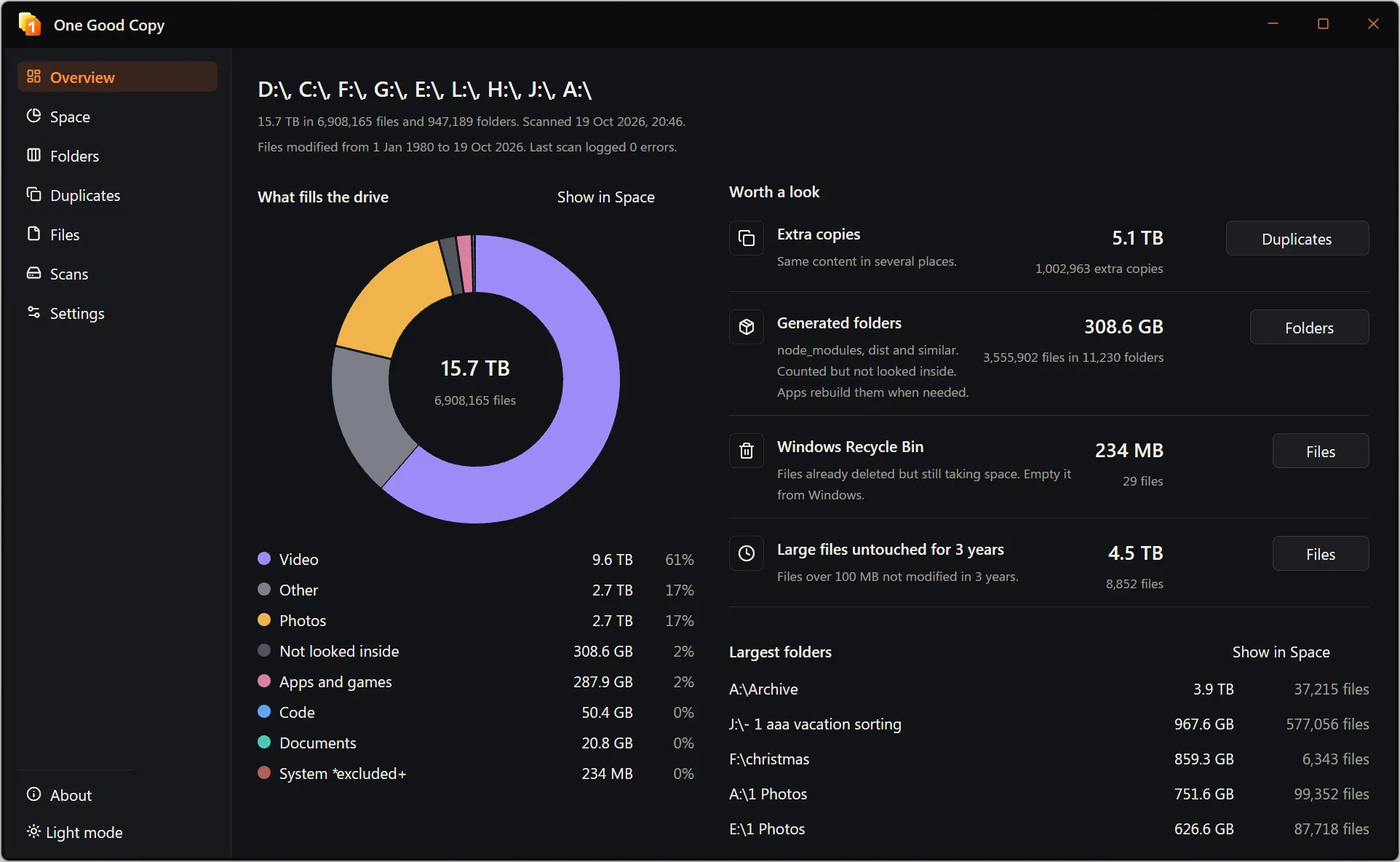
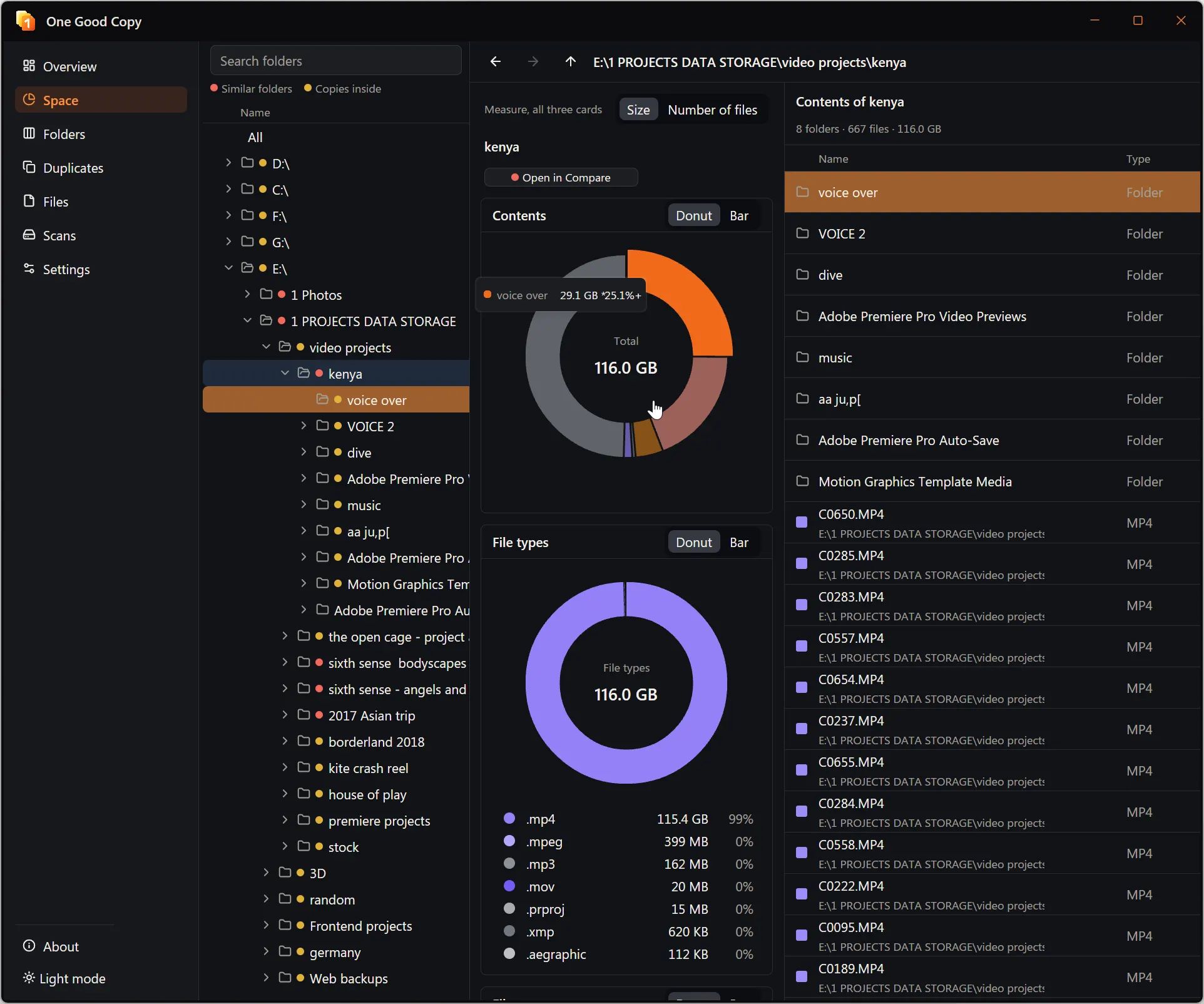
See what is eating your drive space
A folder tree and ring charts for every drive. Click down to the big chunks. A dot marks folders that have a copy somewhere else.
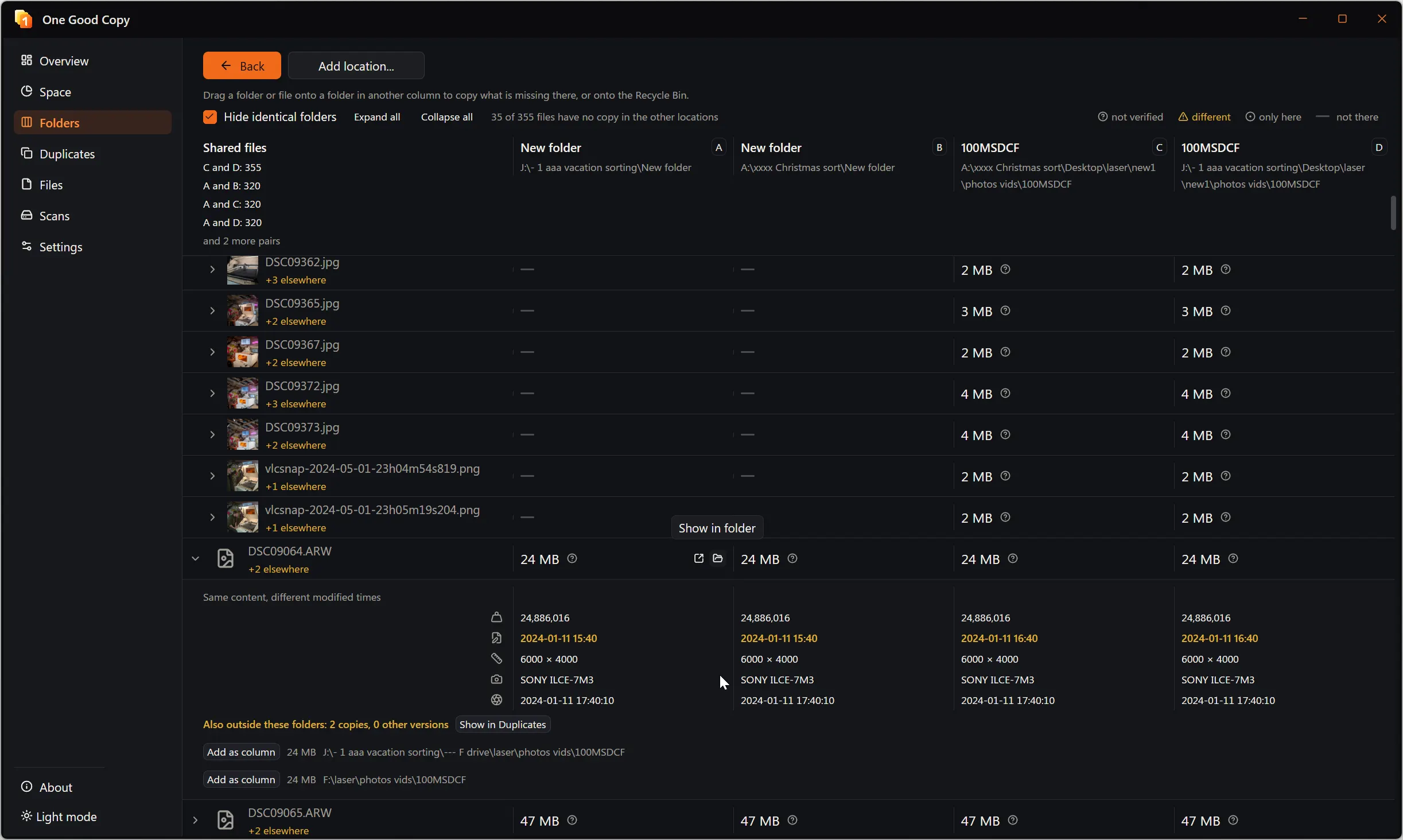
See what exists nowhere else
Open the copies of a folder side by side, one column each. Before you delete anything, it counts the files with no copy in the other folders. Files with copies further away show how many, on any drive.
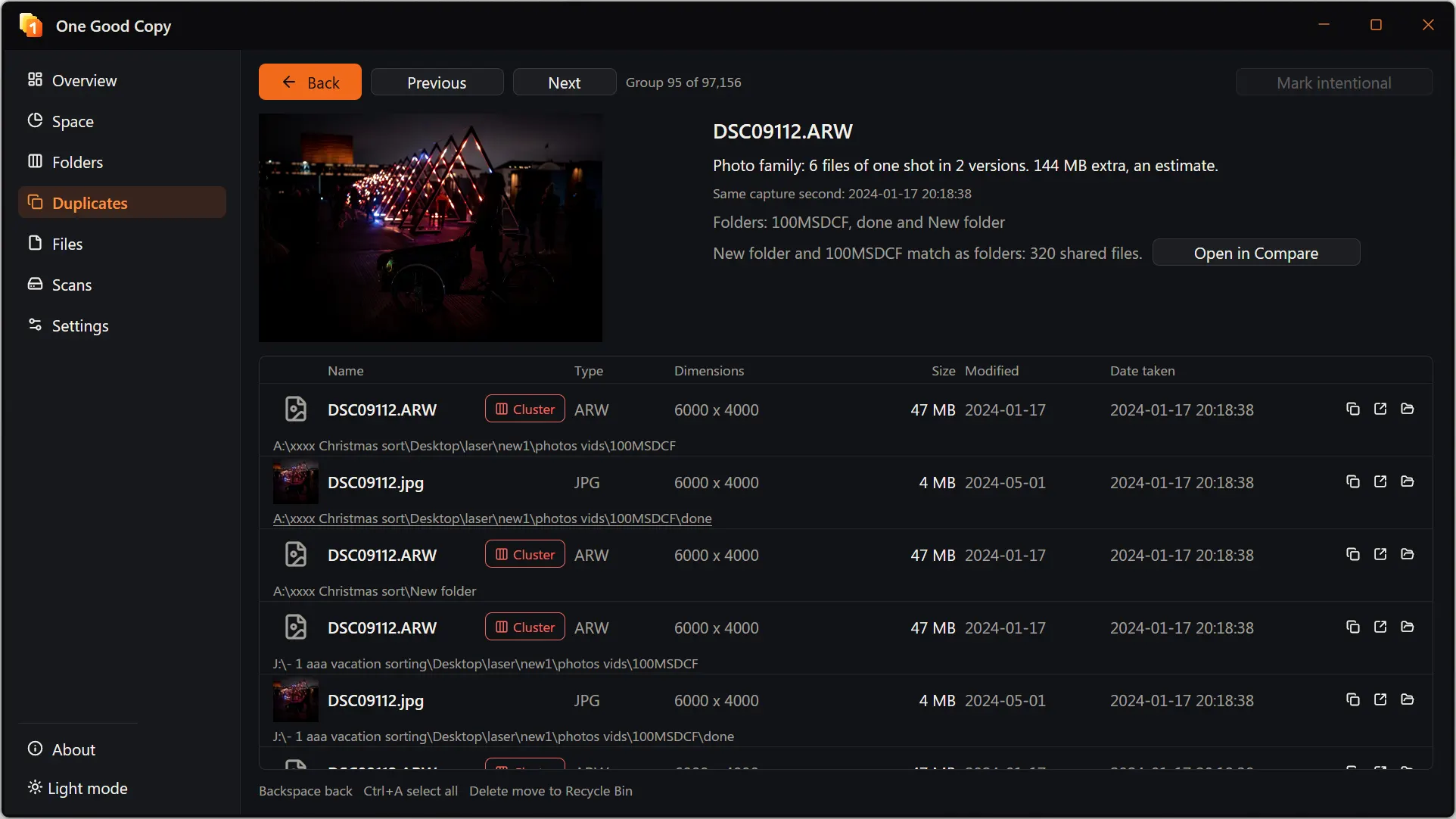
Similar photos, grouped
A photo family is one shot in every form: the RAW, the camera JPEG, exports, resizes and colour edits. They match on camera and capture time, not on identical bytes. Bursts sit together but are never called copies, and nothing is marked for deletion.
Fast, with everything switched on
One scan lists every drive, reads photo details, fingerprints possible copies and groups photos. The developer's PC, first scan with an empty catalog:
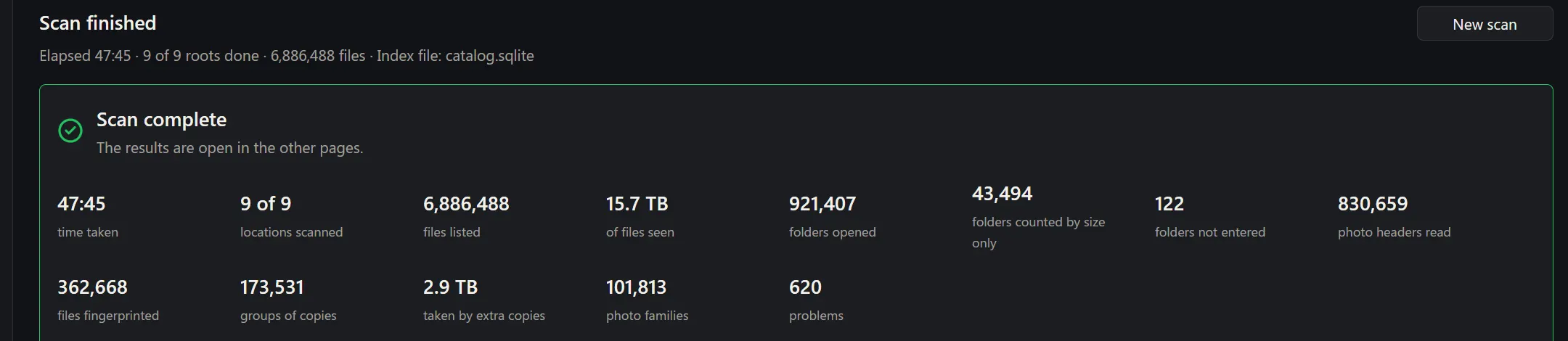
- 6.9 million
- files on 9 drives, listed in 5 minutes.
- 2.1 GB
- read to fingerprint the possible copies in 420 GB of files. That is 0.5%.
- 10,400
- photos a second on an SSD. Only the header is read, never the whole photo.
How
- All drives are read at the same time. Hard drives are read in path order, so the disk head does not jump around.
- Name, size and photo details come first. Only files that can still be copies get a fingerprint, and a fingerprint starts with a small part of the file.
- Photos match on camera and capture time from the header. No pixels are compared.
- The catalog is kept. A rescan only opens folders that changed.
A tool that hashes every file in full has to read every byte: all 420 GB, not 2.1 GB.
| Drive | Data on it | Files | Listed in | Full first scan |
|---|---|---|---|---|
| SATA SSD | 420 GB | 1.17 M | 0:18 | 0:42 |
| NVMe SSD (system drive) | 913 GB | 3.9 M | 4:45 | not timed alone |
| 16 TB hard drive | 7.7 TB | 623 k | 1:13 | not timed alone |
| Whole PC, 9 drives | 15.7 TB | 6.89 M | 5:10 | 47:45 |
The deal
- Free, for real. Every feature, every path, every compare. No trial, no upsell, no subscription.
- Local only. No account, no cloud. Nothing leaves your PC.
- Scans only read. Scanning never changes a file.
- Recycle Bin only. Nothing is deleted on its own, and nothing is pre-selected.
Need one file? Search every drive · Safety · Why it's free